AI & GenAI · New program

Prompt Engineering & AI Agents Course for Managers and LeadersPrompt engineering course · classroom in Chennai & live online

Prompt engineering and no-code AI agents for managers and leaders: build decks, Excel analysis, emails and reports in minutes with Copilot, Gemini, ChatGPT and Claude.

20 WeeksBeginnerProgramClassroom + Online Fast-track available
5modules
20lessons
5hands-on labs
80hours

What you'll learn in this Prompt engineering course

Write prompts that give useful, accurate answers
Produce everyday work in a fraction of the time
Run meetings, research and your day with AI
Build assistants, agents and automations without code
Lead AI adoption in your team safely

Who this Prompt engineering course is for

Managers and team leads

Get decks, reports, analysis and email done in a fraction of the time.

Directors, CXOs and business owners

Lead AI adoption with a clear plan, policy and measured results.

Consultants and professionals

Automate routine work with no coding.

✓ Comfortable with email, Word or Docs, PowerPoint or Slides, Excel or Sheets✓ No coding or technical background needed✓ A few real work tasks to practise on

Comparing AI courses? See AI course & training at SOTT: every AI course side by side, with fees, projects and FAQs.

Prompt engineering course for beginners: it starts from the fundamentals and builds up step by step, with a mentor guiding you.

Prompt engineering course levels: Fundamentals, Associate, Advanced

Start at the level that fits you. Each level has its own weeks, certification and fee. Within 60 days, everything you have paid counts towards the next level, so you only pay the difference.

Level 14 weeks

Fundamentals

Prompting and safe use

Prepares for: Prompt engineering foundations (SOTT certificate, no exam)

Week-by-week plan
  1. Generative AI for leaders: how it works and where it helps
  2. Prompt engineering foundations for business
  3. Advanced prompting for managers
  4. Safe and responsible AI at work
Request syllabus ↓
₹14,999 incl. GST
Enquire now →
Level 28 weeks

Associate

AI across your workweek

Prepares for: Microsoft Certified: AI Business Professional (AB-730)

Week-by-week plan
  1. Email and writing with Copilot in Outlook and Gemini in Gmail
  2. Documents and reports with Copilot in Word and Gemini in Docs
  3. Presentation decks with Copilot in PowerPoint and Gemini in Slides
  4. Excel and Google Sheets with AI: analysis, formulas and charts
  5. Meetings with Copilot in Teams and Gemini in Meet
  6. Research and decision briefs with AI
  7. Your daily AI workflow across Microsoft 365 and Google Workspace
  8. AB-730 exam preparation
Request syllabus ↓
₹36,999 ₹44,999 incl. GST
Enquire now →
Level 38 weeks

Advanced

Agents and AI leadership

Prepares for: Microsoft Certified: AI Transformation Leader (AB-731)

Week-by-week plan
  1. AI agents for business users
  2. Build your own assistants: Custom GPTs, Claude Projects and Gemini Gems
  3. Copilot agents with Agent Builder and Copilot Studio
  4. No-code automation with Power Automate
  5. No-code automation with Zapier and Make
  6. AI strategy and use cases for your team
  7. Governance, risk and leading AI change
  8. AB-731 exam preparation and leadership capstone
Request syllabus ↓
₹44,999 ₹54,999 incl. GST
Enquire now →

What you'll build

Prompt engineering course syllabus

5 modules · 20 lessons · 5 major labs · 80 hours

01

Prompt engineering foundations

4 lessons · 1 lab
16 hrs+
  1. Generative AI for leaders: how it works and where it helps
  2. Prompt engineering foundations for business
  3. Advanced prompting for managers
  4. Safe and responsible AI at work
HANDS-ON LAB

Map ten of your own weekly tasks and mark where AI can save time

02

AI in email, documents, decks and Excel

4 lessons · 1 lab
16 hrs+
  1. Email and writing with Copilot in Outlook and Gemini in Gmail
  2. Documents and reports with Copilot in Word and Gemini in Docs
  3. Presentation decks with Copilot in PowerPoint and Gemini in Slides
  4. Excel and Google Sheets with AI: analysis, formulas and charts
HANDS-ON LAB

Clear a week's backlog: summarise threads and draft replies in your own voice

03

Meetings, research and your AI workflow

4 lessons · 1 lab
16 hrs+
  1. Meetings with Copilot in Teams and Gemini in Meet
  2. Research and decision briefs with AI
  3. Your daily AI workflow across Microsoft 365 and Google Workspace
  4. AB-730 exam preparation
HANDS-ON LAB

Run a meeting with AI notes and send the action list within five minutes

04

AI agents and no-code automation

4 lessons · 1 lab
16 hrs+
  1. AI agents for business users
  2. Build your own assistants: Custom GPTs, Claude Projects and Gemini Gems
  3. Copilot agents with Agent Builder and Copilot Studio
  4. No-code automation with Power Automate
HANDS-ON LAB

Pick three processes in your team that an agent could run and score them

05

AI strategy, governance and capstone

4 lessons · 1 lab
16 hrs+
  1. No-code automation with Zapier and Make
  2. AI strategy and use cases for your team
  3. Governance, risk and leading AI change
  4. AB-731 exam preparation and leadership capstone
HANDS-ON LAB

Connect Gmail, Sheets and Slack so new enquiries are summarised and assigned automatically

Your 20 weeks journey

WEEKS 1–4Prompt engineering foundations
WEEKS 5–8AI in email, documents, decks and Excel
WEEKS 9–12Meetings, research and your AI workflow
WEEKS 13–16AI agents and no-code automation
WEEKS 17–20AI strategy, governance and capstone

Prompt engineering tools you'll use

ChatGPTClaudeGeminiMicrosoft 365 CopilotGemini for Google WorkspaceCopilot in OutlookGemini in GmailCopilot in WordGemini in Google DocsCopilot in PowerPointCopilot in TeamsGemini in Google MeetOtterChatGPT deep researchGemini Deep ResearchChatGPT agent

Prompt engineering projects you'll build

PROJECT 01

Your prompt library

Tested prompt templates for your own reports, emails, reviews and plans.

PROJECT 02

One-hour strategy deck

A 10-slide deck built from a one-page brief, with Excel insights and speaker notes.

PROJECT 03

Team AI agent and weekly automation

An assistant that answers from your team's documents, plus a Monday report that builds and emails itself.

Prompt engineering course fees & batches in Chennai

Fees by level

LevelWeeksFee (incl. GST)
Fundamentals4₹14,999
Associate8₹36,999 ₹44,999
Advanced8₹44,999 ₹54,999

Upgrade any time within 60 days and pay only the difference. Each level can be paid in two instalments. Online learners outside India: see the fee in your currency on our worldwide page.

What the fee includes

  • 80 hours of live, instructor-led classes
  • Hands-on labs and 3 portfolio projects
  • Session recordings for revision
  • 1:1 mentoring

Batches & mode

  • Weekday batches
  • Weekend batches for working professionals
  • Fast-track batches
  • Classroom at our Arumbakkam centre, Chennai
  • Live online from anywhere

Prompt engineering certification & exam cost

Certification this course prepares you for
Microsoft Certified: AI Business Professional (AB-730) at the Associate level · Microsoft Certified: AI Transformation Leader (AB-731) at the Advanced level · SOTT certificate of completion

The exam is booked directly with the certification provider, and its cost is set by the provider for your country. Our advisors share the current exam cost and help you plan the right exam date, with mock tests beforehand.

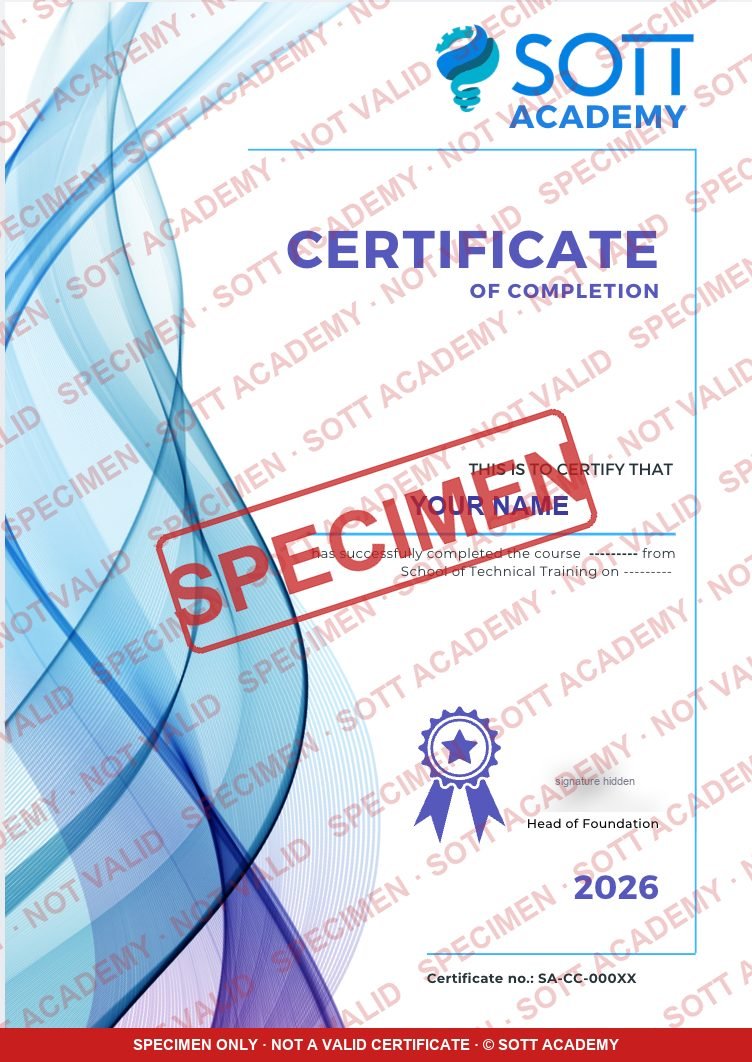
SOTT Academy certificate of completion (specimen)
Specimen for illustration only. Not a valid certificate. © SOTT Academy
Awarded on completion

SOTT certificate of completion

Every learner who completes the Prompt engineering course is awarded the SOTT Academy Certificate of Completion, with your name, the course, the date and a unique certificate number.

  • Awarded when you complete the course
  • Unique certificate number
  • Add it to your resume and LinkedIn profile

How AI changes your role

STEP 1Team LeadYour reports, emails and reviews in half the time
STEP 2ManagerAI analysis and decks for every review
STEP 3Senior Manager / DirectorAssistants and automations across your function
STEP 4Head of FunctionAn AI plan, policy and measured results
STEP 5CXO / Business OwnerAI strategy for the whole business

Prompt engineering course FAQ

What is prompt engineering?+
Prompt engineering is writing clear instructions for AI tools such as ChatGPT, Claude, Microsoft 365 Copilot and Gemini so they give useful, accurate answers. A good prompt gives the AI a role, the task, the context, the format you want and examples. For managers, it is the difference between generic AI text and a board-ready report.
Is there a fast-track batch?+
Yes. Along with regular and weekend batches we run fast-track batches for people who want to finish sooner. Ask an advisor for the next fast-track dates.
Which level should I choose: Fundamentals, Associate or Advanced?+
The course runs in levels: Fundamentals (4 weeks), Associate (8 weeks), Advanced (8 weeks). Fundamentals teaches prompt engineering and safe use, Associate puts Copilot and Gemini to work across your email, documents, decks and Excel, Advanced covers AI agents, automation and leading AI in your team. An advisor can check your background and suggest the right starting level.
Can I start with one level and upgrade later?+
Yes. Within 60 days, everything you have paid counts towards the next level, so you only pay the difference.
Who is this prompt engineering course for?+
Managers, team leads, directors, CXOs, business owners and consultants who are not technical and want AI to do their routine work: decks, reports, Excel analysis, emails, meeting notes and research.
Do I need a technical background or coding?+
No. Everything is done in plain English inside the tools you already use: Outlook, Word, PowerPoint, Excel and Teams, or Gmail, Docs, Slides, Sheets and Meet. The agents and automations are built with no-code tools.
Microsoft 365 or Google Workspace?+
Both. Every lesson shows Microsoft 365 Copilot and Gemini for Google Workspace side by side, plus ChatGPT and Claude, so you can use whatever your company has.
Can AI really make my PowerPoint decks and Excel reports?+
Yes. You learn to build a 10-slide deck from a one-page brief with Copilot in PowerPoint or Gemini in Slides, and to analyse a spreadsheet in plain English with Copilot in Excel or Gemini in Sheets. You still review the result: the course teaches you how to check AI work quickly.
What are AI agents, and will I build one without coding?+
An AI agent is an assistant that can follow instructions, use your documents and complete multi-step tasks. At the Advanced level you build your own with Custom GPTs, Claude Projects, Gemini Gems and Copilot agents, and automate weekly work with Power Automate, Zapier and Make, all without code.
Which certification does it prepare me for?+
The Associate level prepares you for Microsoft AB-730 (AI Business Professional) and the Advanced level for Microsoft AB-731 (AI Transformation Leader). Neither needs coding. The exam fee is paid to Microsoft. You also get the SOTT certificate of completion.
How long is the course and how many hours a week?+
Fundamentals is 4 weeks, Associate 8 weeks and Advanced 8 weeks. Plan for about 4–5 hours a week, including the live class and practice on your own work.
Is it safe to use AI with company data?+
Yes, if you follow the rules, and week 4 covers them: what never to paste into AI, business vs consumer accounts, India’s DPDP Act basics and how to write an AI usage policy for your team.
Do I need paid AI licences?+
Free versions cover most exercises. Copilot and Gemini business features need your company licence or a trial; we show a free alternative for every lab.
Can you train my whole leadership team?+
Yes. We run this course as an in-house workshop for companies, online or at your office, built around your team’s own work. Ask us for a corporate proposal.
Is it online or in the classroom?+
Both. Join us at our Arumbakkam centre in Chennai or live online from anywhere, with weekday-evening and weekend batches. Session recordings are shared for revision.
How is it different from the AI Tools for Professionals course?+
AI Tools for Professionals is a 4-week introduction for anyone. This program goes much further for managers and leaders: Copilot and Gemini across your whole workweek, your own AI agents and automations, AI strategy and governance, and the Microsoft AB-730 and AB-731 certifications.
I have another question. Who can I ask?+
Our advisors are happy to help. Call or WhatsApp us, or send a message from the Contact page, and we will get back to you within one working day.

Keep exploring

Related courses

All courses →
Syllabus →Enquire now
Free download

Prompt Engineering & AI Agents for Leaders (No-Code, AB-730 / AB-731) brochure

Tell us where to send it. We'll email you a 6-digit code to confirm.